
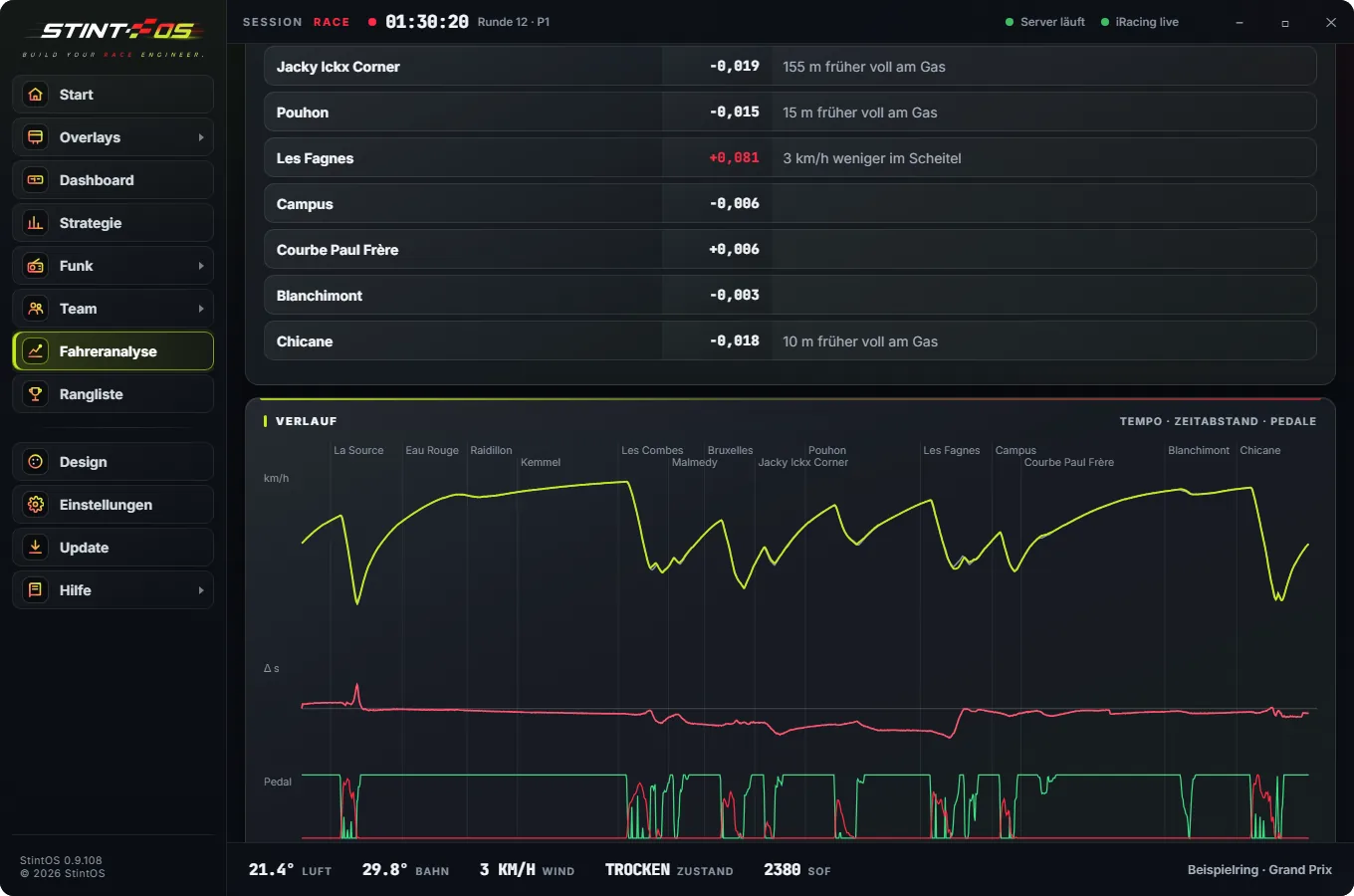
Driver analysis
Corner by corner you see where you lose time and why: earlier on the throttle, more speed at the apex. Against your best lap, another lap or the leader. Plus the ideal lap from your best corners. On the PC and in the app.
Overlays, strategy, radio, team and analysis for iRacing and Le Mans Ultimate in one program. Plus the app that knows how your stint is going, wherever you are.
 iRacing
Overlays, strategy, radio, team and analysis for iRacing.
Take a look
New Last chosen
iRacing
Overlays, strategy, radio, team and analysis for iRacing.
Take a look
New Last chosen
 Le Mans Ultimate
The same StintOS for Le Mans Ultimate – with virtual energy, every class and the pit menu.
Take a look
Le Mans Ultimate
The same StintOS for Le Mans Ultimate – with virtual energy, every class and the pit menu.
Take a look
One program, one account, one subscription – for both sims. StintOS detects which one is running.
What strategy calculates, the radio says. What a rule triggers, an overlay shows. What you drive ends up in analysis and the leaderboard.
Corner by corner you see where you lose time and why: earlier on the throttle, more speed at the apex. Against your best lap, another lap or the leader. Plus the ideal lap from your best corners. On the PC and in the app.
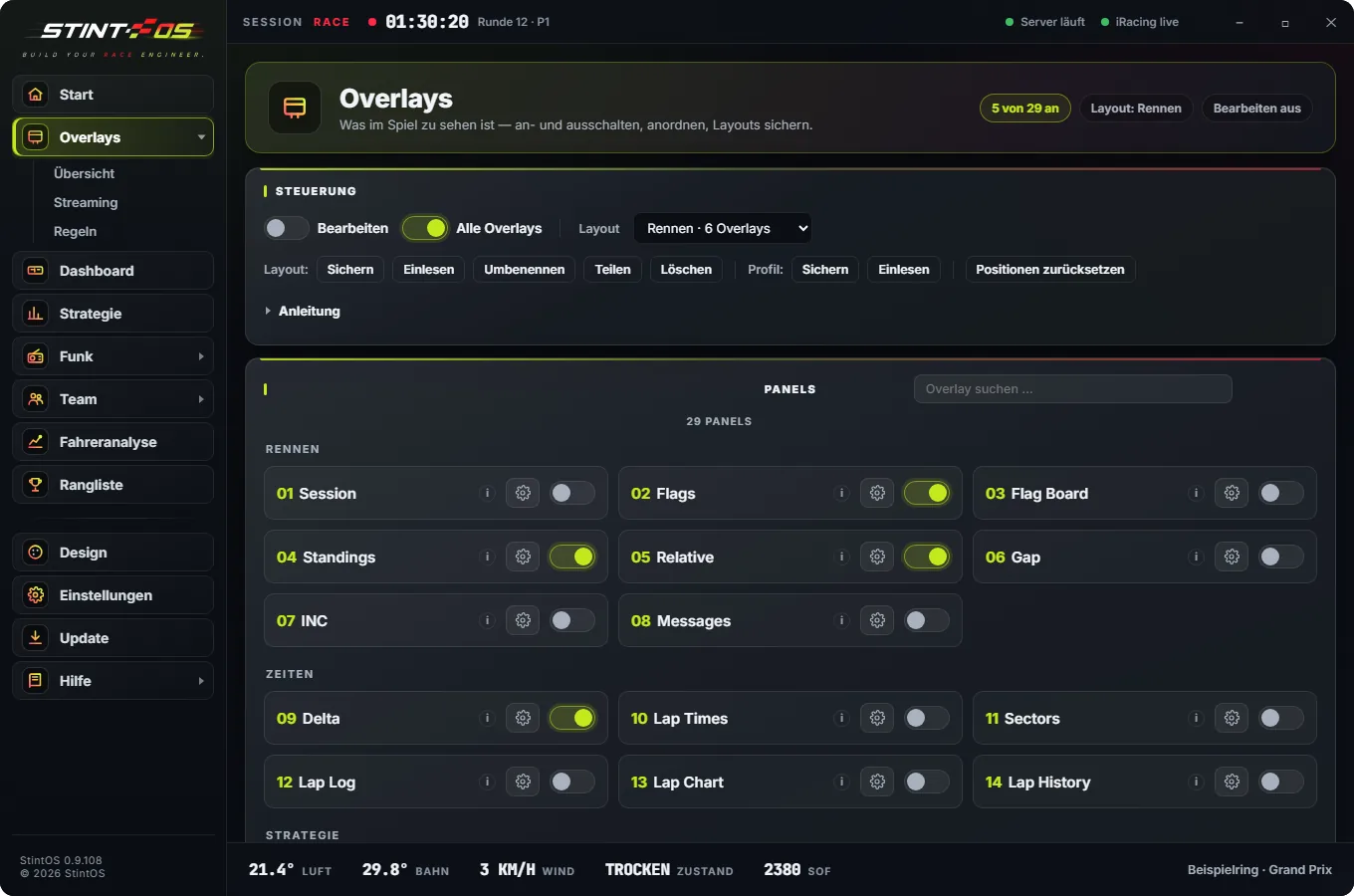
Gaps, relative, radar, fuel, tyres, weather, flags, map. Each one configurable.
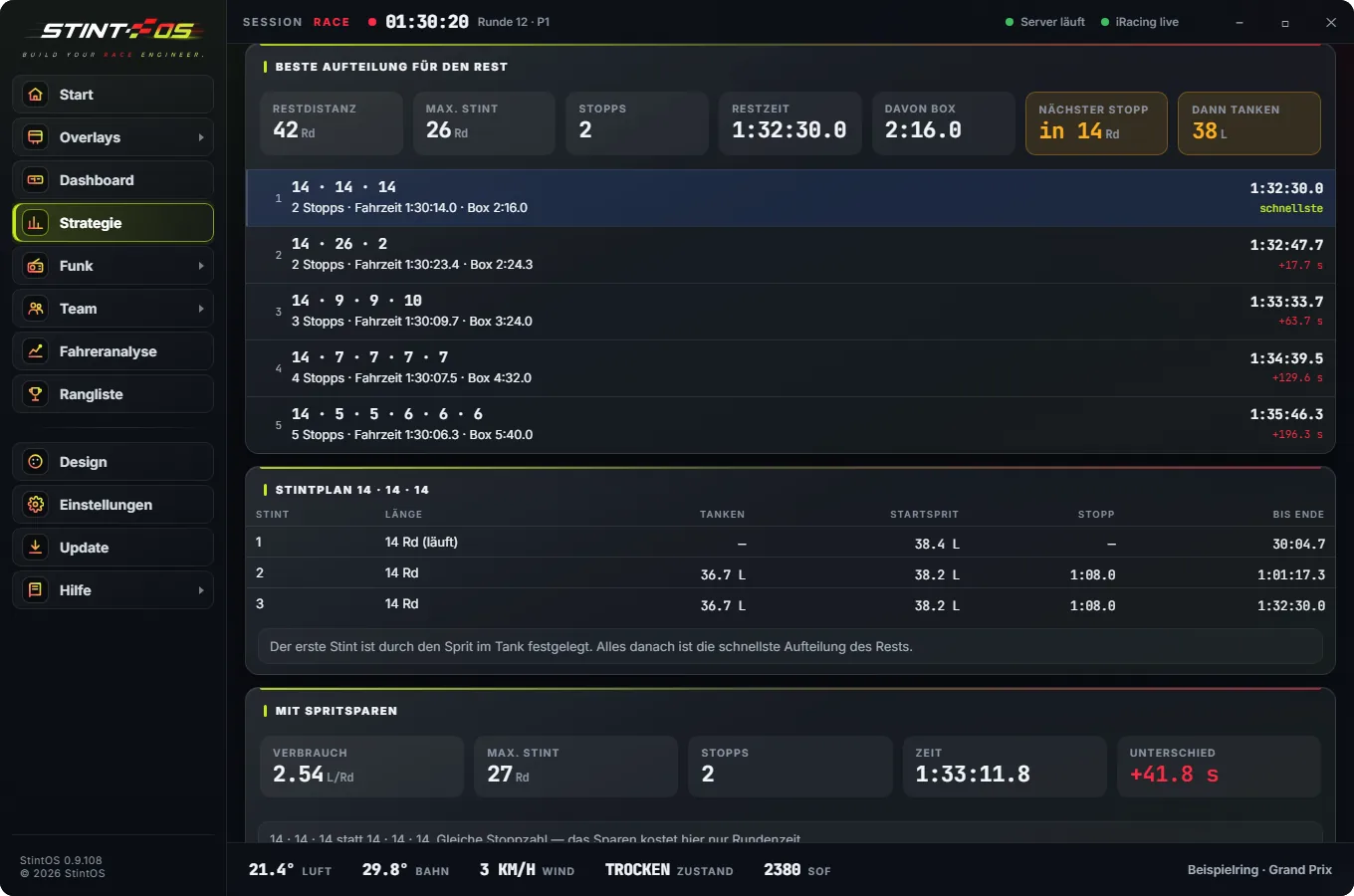
Stints and stops calculated, with fuel saving and the next-best option, including what it costs you.
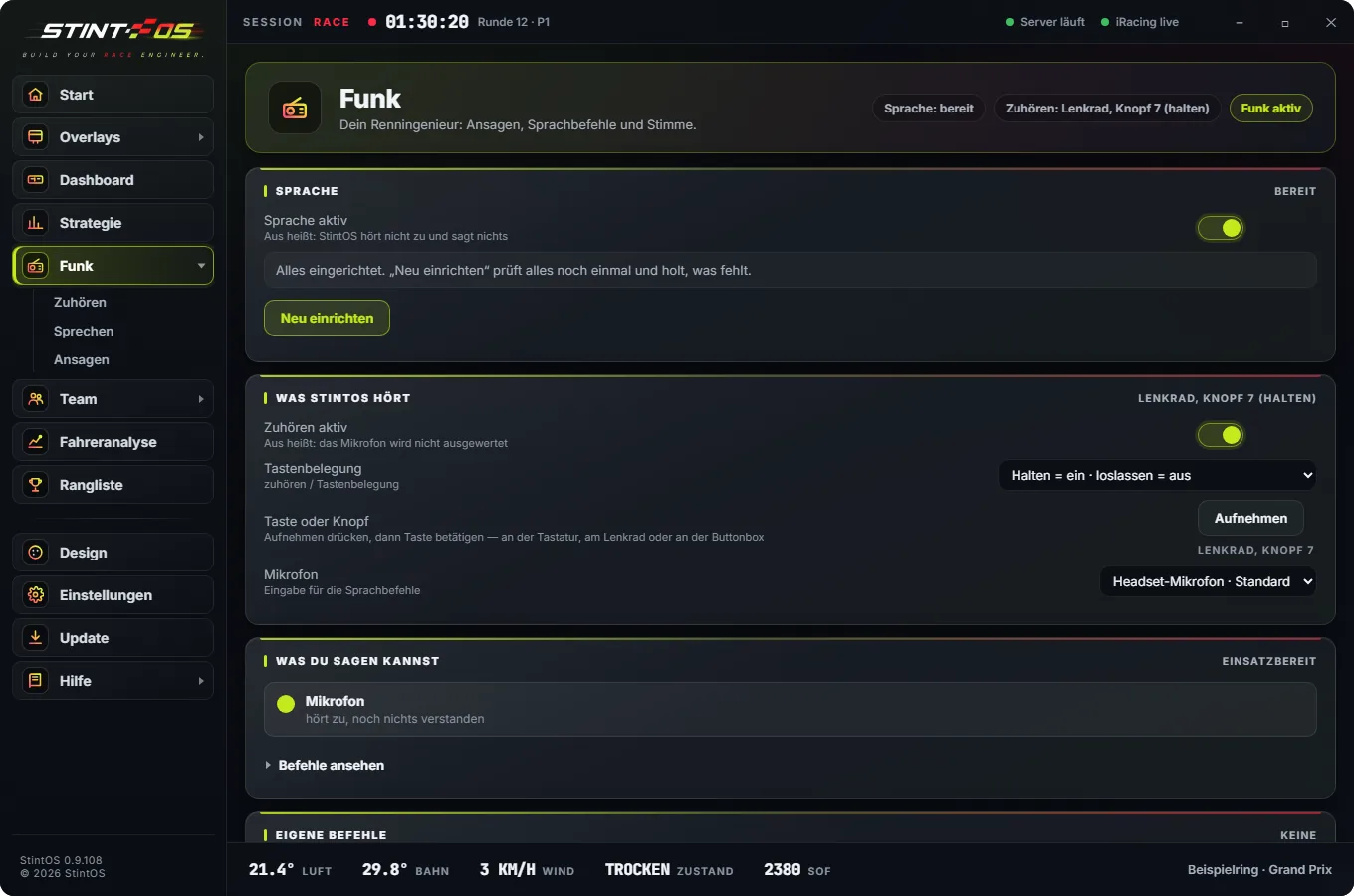
Traffic, positions, flags, pit windows. Ask questions by voice or wheel button.
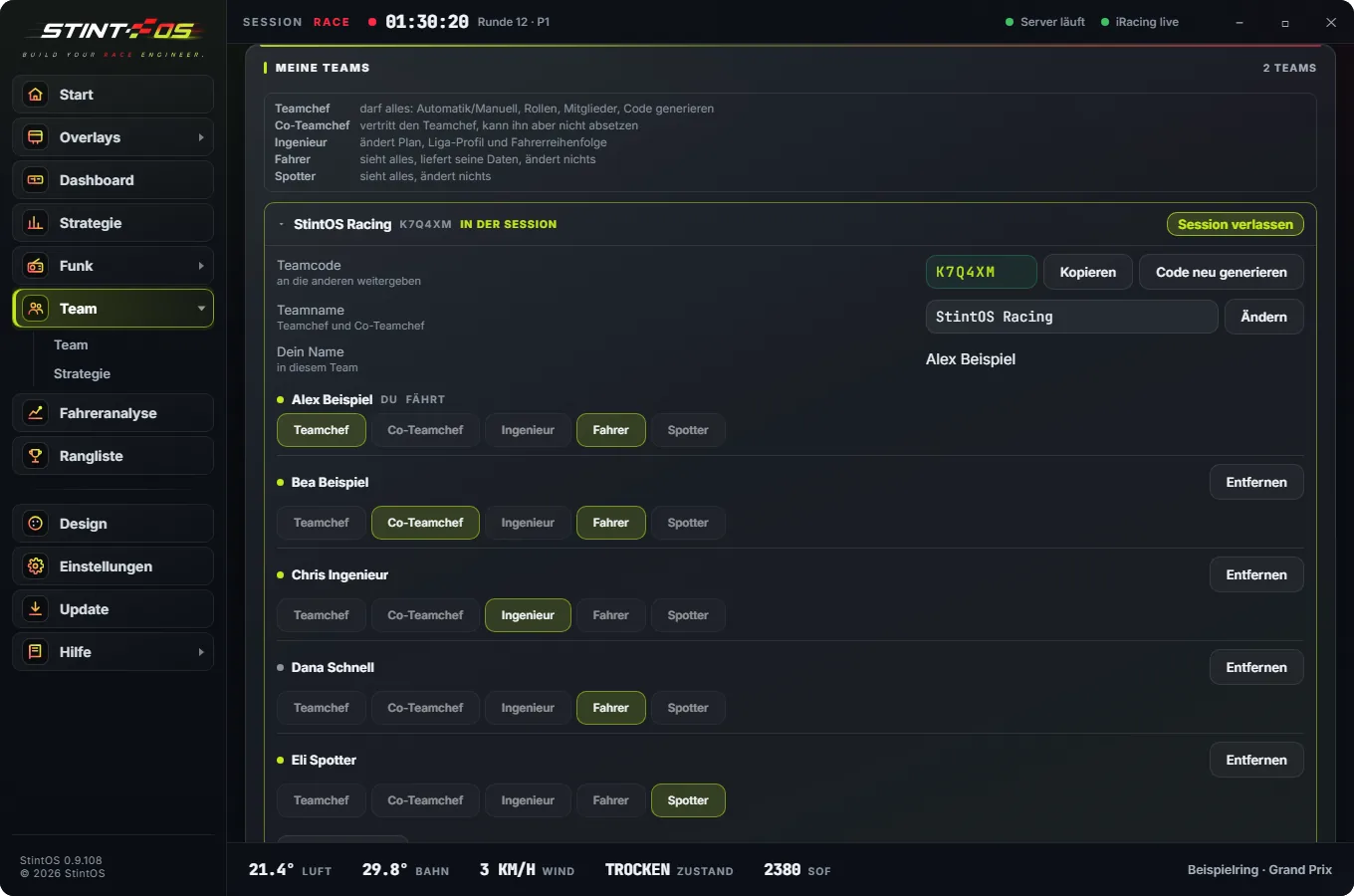
A team code instead of setup. Info monitor with driver, time left, fuel and calls like “Box in 2 laps”.
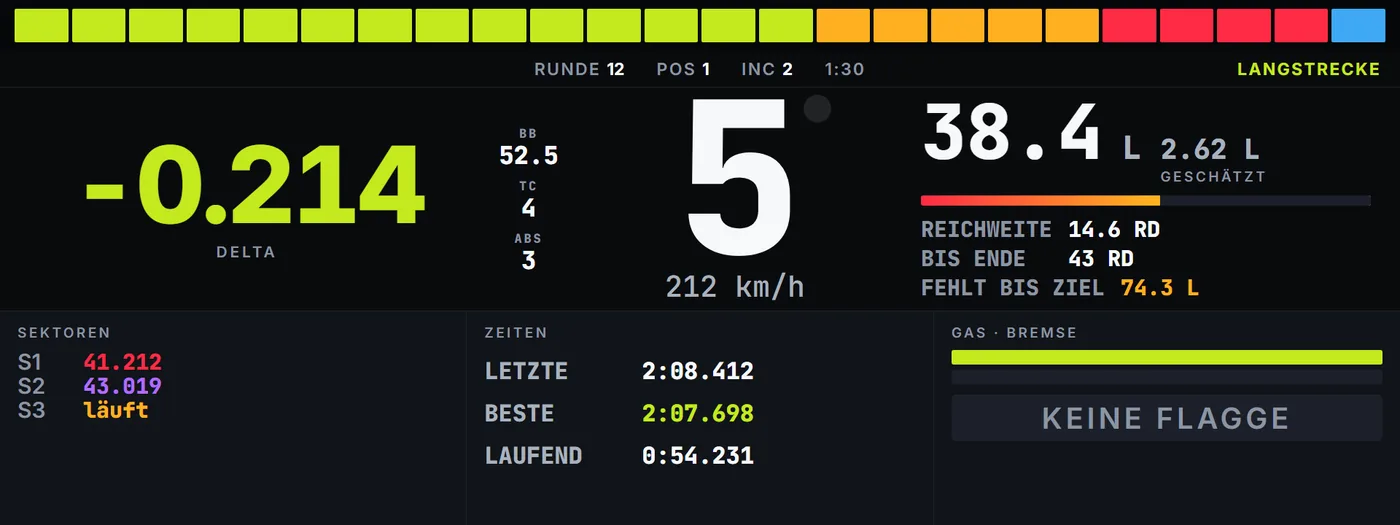
Borderless on your DDU, or on a tablet or phone on your home network via QR code.
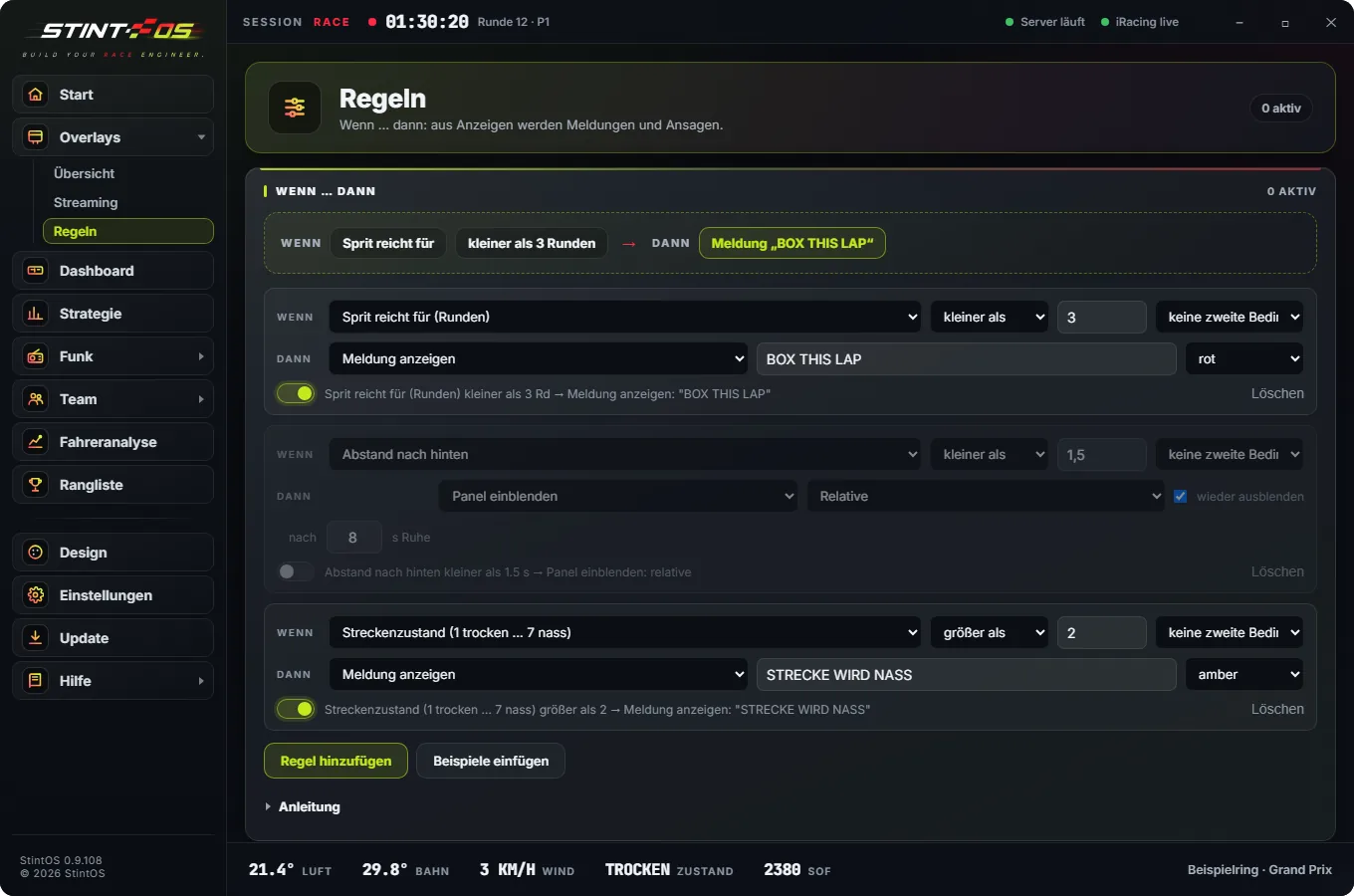
If fuel drops below three laps, call “Box this lap”. Your conditions, your reactions.
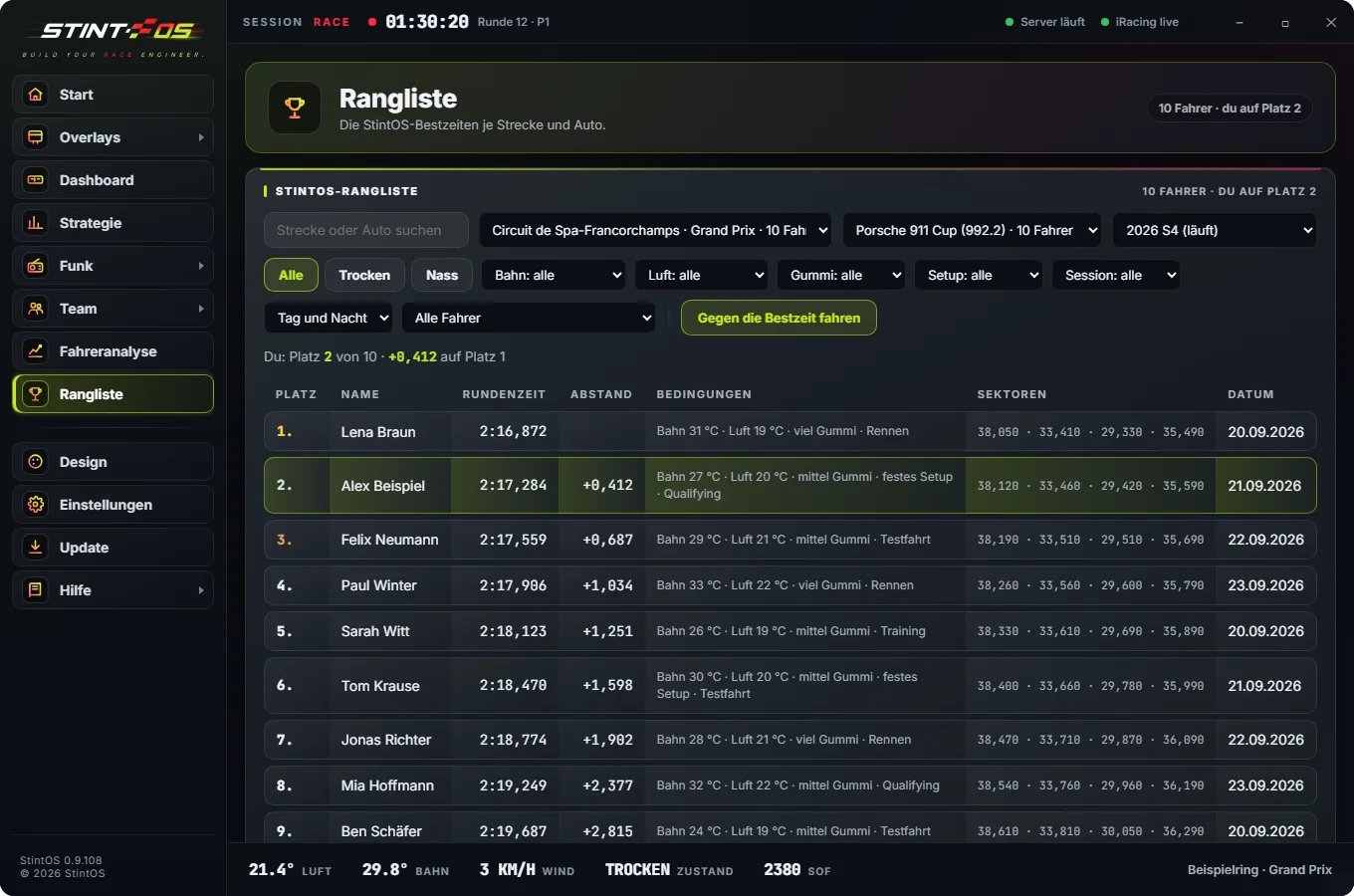
The StintOS leaderboard per track and car or class, per season. Every time shows the conditions it was set in.
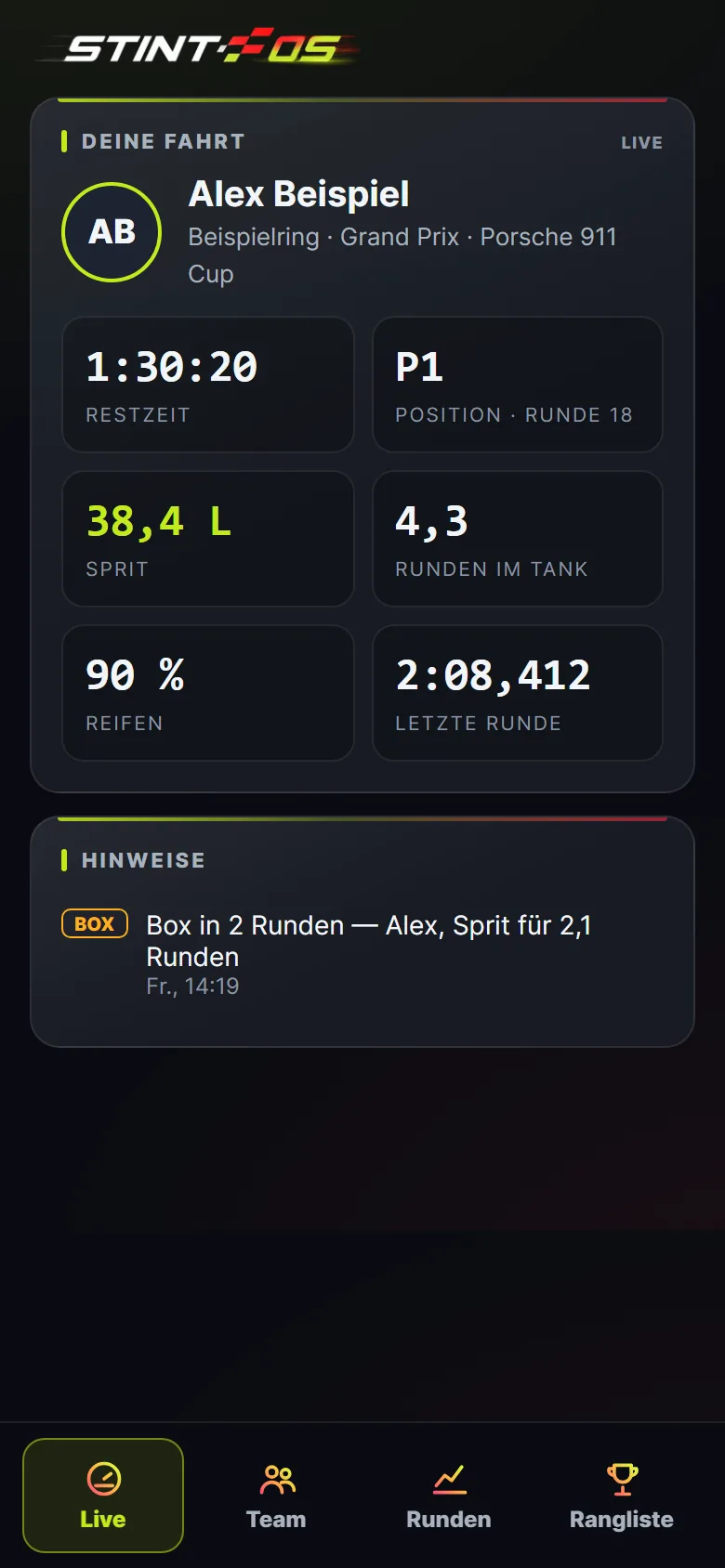
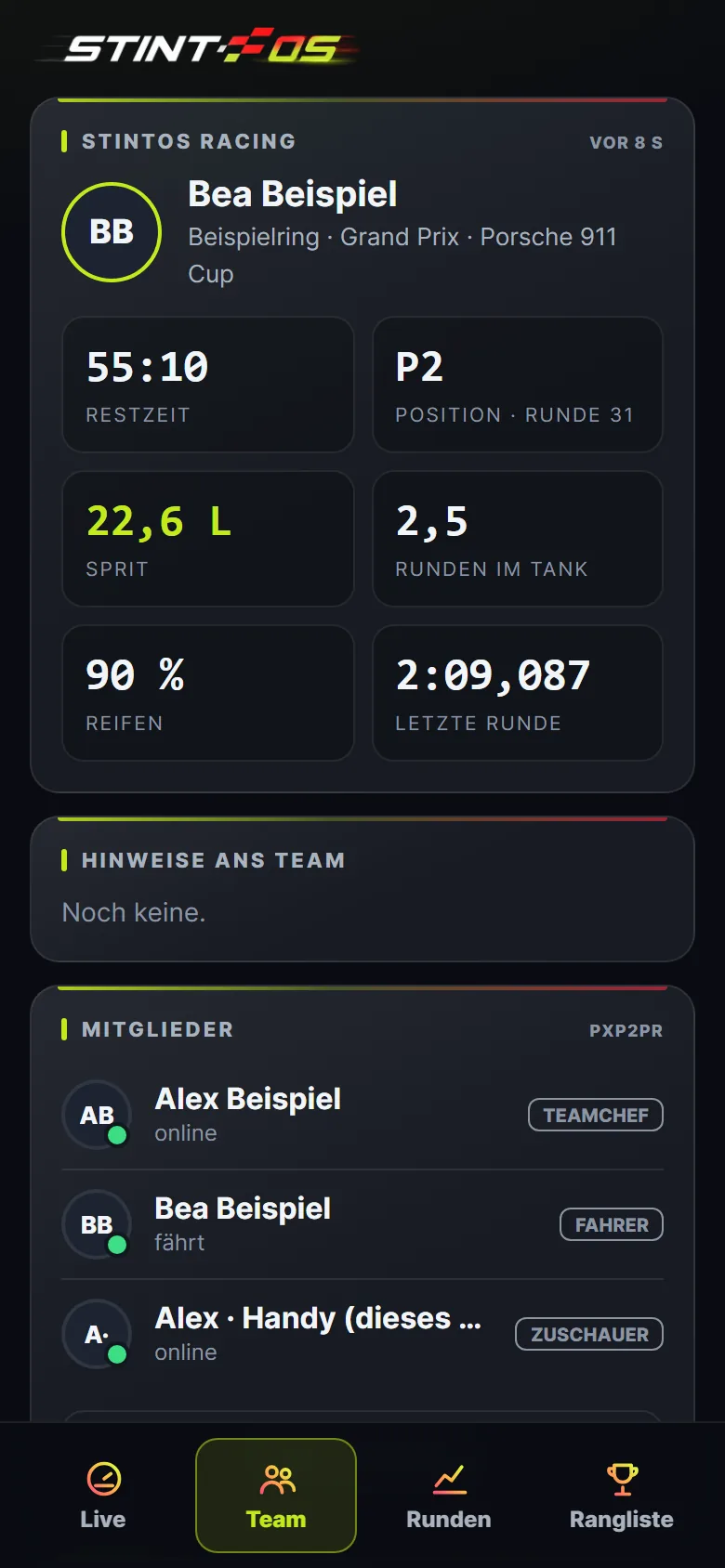
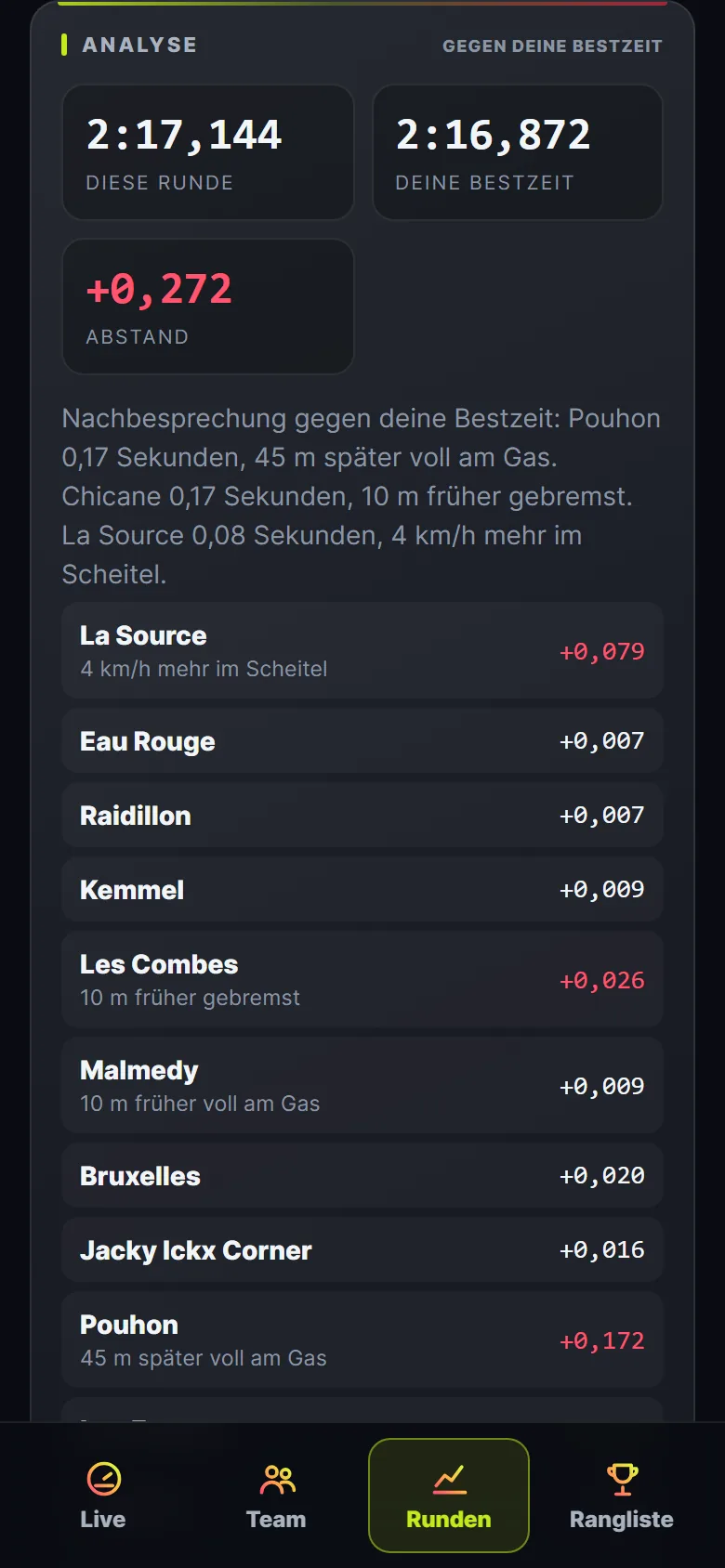
Live, team, laps with driver analysis and the leaderboard on your phone — plus the team radio. Same account as on the PC, no app store, even when the PC is off.
 Box in 2 laps. Alex, fuel for 2.1 lapsStintOS · TeamNew best at Spa: 2:17.285, P2StintOS · LeaderboardLena beat your time at SpaStintOS · Leaderboard
 stintos.com/appScan with your phone or tablet – runs in the browser, no app store. Then “Add to Home Screen”.
Sign up on stintos.com and choose Free or Subscription.
Install StintOS and log in with your email and password. No licence key needed.
StintOS picks up the session by itself and speaks up when there is something to say.
iRacing and Le Mans Ultimate. It is one program: StintOS detects which sim is running and keeps laps and leaderboards apart per sim.
No. A DDU is supported; the same display also runs on a phone or tablet on your home network.
No. With the team radio you talk right inside StintOS, on the PC and in the app — push to talk, voice activated or open mic.
Telemetry and speech recognition are processed on your PC. Your account, team and the laps for leaderboard and analysis are stored on our server in Germany. You can delete your account at any time under “My account”; your laps are deleted with it.
No. The leaderboard shows name, time, sectors and conditions, never your customer ID or setup.
On Discord or right in the program under Settings → Bug report.
